Your Post Move Smart Home Setup Sequence
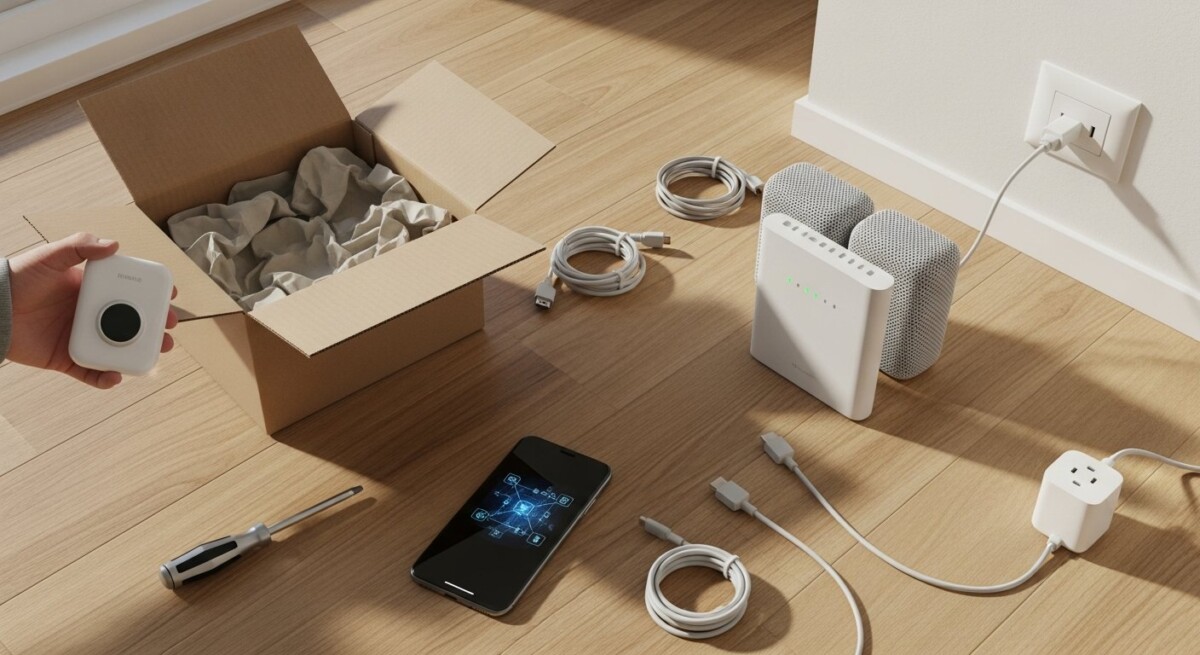
Moving into a new home is a whirlwind of boxes, keys, and decisions. After the movers have left and the last piece of furniture is in place, a new challenge emerges: transforming a house full of unpacked belongings into a functional, comfortable, and intelligent living space. This is where a structured post move smart home setup sequence becomes your most valuable tool. Instead of randomly plugging in devices and hoping for the best, a deliberate, step-by-step approach ensures your technology works seamlessly, saves you time, and prevents the frustration of redoing work later. Whether you are a tech novice or a seasoned enthusiast, following a proven sequence will turn your new address into a connected haven from day one.
Why a Sequence Matters for Your Smart Home
Setting up a smart home without a plan is like building a house without a blueprint. You might end up with a light switch that cannot reach the Wi-Fi router or a security camera that points at a blank wall. A logical sequence prioritizes infrastructure first. This means establishing a strong network backbone before adding devices that depend on it. It also means considering the physical layout of your home. For example, placing a smart thermostat requires understanding your HVAC system’s location and compatibility. By following a deliberate order, you avoid common pitfalls like buying devices that do not work together or creating network dead zones. This approach also saves money because you buy only what you need for your specific setup, not a random collection of gadgets.
The real benefit of a sequence is efficiency. Unpacking is exhausting, and the last thing you want is to spend hours troubleshooting a smart speaker that will not connect. When you prioritize your setup, you can tackle one system at a time. You finish the network, then move to security, then lighting, and so on. This methodical pacing reduces overwhelm and ensures each component is configured correctly before you move to the next. It also makes it easier to identify problems early. If your smart lock fails to connect, you know the issue is with the lock or its placement, not your entire network.
Step 1: Assess Your New Home’s Infrastructure
Before you unbox a single device, walk through your new home with a critical eye. Start by locating your main electrical panel and identifying which breakers control which rooms. This knowledge is crucial for installing smart switches or outlets that require a neutral wire. Next, check your internet service options. If you are moving to a new area, you may need to transfer or set up a new internet plan. Confirm the location of the cable or fiber entry point. Ideally, your modem and router should be placed in a central location, away from thick walls and large metal appliances that can block signals.
You should also inventory the existing fixtures. Note the types of light switches, door locks, and thermostats already installed. Are they compatible with smart technology? For instance, many older homes lack a neutral wire in switch boxes, which limits your choice of smart switches. If you have a smart home ecosystem in mind, like Apple HomeKit, Amazon Alexa, or Google Home, check the compatibility of your existing devices. A thorough assessment now prevents buying incompatible hardware later. Finally, consider the size of your home. A 3,000-square-foot house with multiple floors may need a mesh Wi-Fi system, while a small apartment might work well with a single powerful router.
Testing Your Electrical and Network Points
Once you have a general sense of the layout, test every outlet and switch. Use a simple outlet tester to confirm proper wiring and grounding. This is especially important for smart plugs and outlets that require a stable power source. For the network, plug your modem into the main cable or fiber jack and run a speed test. If speeds are lower than expected, check the coaxial or Ethernet cables for damage. You can also use a Wi-Fi analyzer app on your phone to map signal strength in different rooms. This data will help you decide where to place extenders or mesh nodes. Do not skip this step. A weak signal in the bedroom will make your smart blinds or nightstand lamp unreliable.
Step 2: Establish Your Network Foundation
Your network is the nervous system of your smart home. Without a fast, reliable, and secure connection, even the best devices will frustrate you. Start by setting up your modem and router according to the manufacturer’s instructions. If you are using a mesh system, place the primary node near the modem and the satellite nodes in areas where you need coverage. Use a wired Ethernet connection for devices that support it, such as smart hubs, gaming consoles, or desktop computers. This frees up Wi-Fi bandwidth for mobile devices and smart sensors.
Once the hardware is connected, log into your router’s settings. Change the default admin password and network name (SSID). Use a strong, unique password for your Wi-Fi network. Enable WPA3 encryption if your devices support it. Then, create a separate guest network for visitors. This keeps your smart home devices isolated from potentially compromised devices. Next, update the router’s firmware to the latest version. This patches security vulnerabilities and often improves performance. After the network is stable, rename your Wi-Fi network to something simple and memorable. Avoid using special characters that some smart devices cannot handle. Reboot the router once to ensure all settings take effect.
Optimizing Wi-Fi for Smart Devices
Smart home devices often use the 2.4 GHz frequency band because it penetrates walls better than 5 GHz. However, many modern routers combine both bands under one SSID. This can cause connection issues for older smart plugs or sensors. To avoid this, check your router settings and see if you can enable a dedicated 2.4 GHz network. Alternatively, disable band steering temporarily during initial setup. Once all devices are connected, you can re-enable it. Also, consider using a separate IoT (Internet of Things) network if your router supports it. This adds an extra layer of security by keeping your smart devices separate from your computers and phones.
Step 3: Prioritize Security and Safety Devices
With your network solid, turn your attention to devices that protect your home and family. Smart security cameras, video doorbells, and smart locks should be installed first. Start with the front door. Install a video doorbell that covers the entryway. Next, place security cameras at key points: the front porch, back door, garage, and any ground-floor windows. For indoor cameras, position them in common areas like the living room or hallway, not in private spaces like bedrooms or bathrooms. Each camera should be within range of a Wi-Fi signal or a wired Ethernet connection.
Smart locks are next. Replace the deadbolt on your main entry door with a smart lock. Ensure the lock fits the existing door prep or be prepared to drill new holes. Most smart locks connect via Bluetooth or Wi-Fi. Follow the app’s instructions to pair the lock with your network. Set up access codes for family members and temporary codes for guests or service providers. Then, install smart smoke and carbon monoxide detectors. These devices can send alerts to your phone even when you are away. Finally, consider smart water leak sensors near the water heater, under sinks, and around the washing machine. A small leak detected early can prevent thousands of dollars in damage.
Step 4: Automate Climate and Energy Management
After security, focus on comfort and efficiency. A smart thermostat is one of the most impactful upgrades you can make. It learns your schedule and adjusts the temperature automatically, saving energy while keeping you comfortable. Start by removing your old thermostat. Take a photo of the wiring before disconnecting anything. Then, install the new smart thermostat according to the manual. Most modern systems require a C-wire (common wire) for power. If your system lacks one, you may need an adapter or a thermostat that uses batteries. Once installed, connect it to your Wi-Fi and configure your heating and cooling schedule.

Next, move to smart plugs and switches. These allow you to control lamps, fans, and small appliances remotely. Begin with the rooms you use most. Replace the switch for your living room overhead light with a smart dimmer. Plug your bedroom lamp into a smart plug. Set up routines so that lights turn on at sunset or when you arrive home. For energy monitoring, use smart plugs that track electricity usage. This data helps you identify energy-hungry devices and adjust your habits. Finally, consider smart blinds or curtains. They can be programmed to open in the morning and close at night, improving privacy and energy efficiency.
Step 5: Build Your Entertainment and Convenience Layer
With the essentials in place, you can now add the fun stuff. Smart speakers, streaming devices, and smart displays bring music, news, and voice control to your home. Start by placing a smart speaker in the kitchen or living room. This becomes your primary voice assistant for controlling lights, thermostats, and locks. Connect it to your music streaming service and set up your preferred news briefings. In the bedroom, a smaller smart speaker or display can serve as an alarm clock and provide weather updates.
For entertainment, set up your TV and streaming devices. Connect them to your Wi-Fi or Ethernet. Log into your streaming accounts and configure parental controls if needed. If you have a soundbar or home theater system, integrate it with your smart speaker for voice-controlled volume and input switching. Then, consider smart appliances like a robot vacuum or a smart coffee maker. These devices can be scheduled to run at specific times. For example, program the vacuum to clean while you are at work and the coffee maker to start brewing 15 minutes before your alarm. The goal here is convenience, so only add devices that genuinely make your daily routine easier.
Step 6: Create Routines and Integrate Everything
Individual devices are useful, but their true power comes from working together. Use your smart home platform’s app (Alexa, Google Home, or Apple Home) to create routines. For example, a “Good Morning” routine could turn on the bedroom lights, start the coffee maker, and set the thermostat to a comfortable temperature. A “Good Night” routine could lock all doors, turn off lights, and arm the security system. Start with two or three routines and expand as you become comfortable.
Test each routine thoroughly. If a device does not respond, check its connection and ensure it is assigned to the correct room in the app. You can also create conditional triggers. For instance, if a motion sensor detects movement in the hallway at night, the smart lights can turn on at a dim setting. If a water leak sensor detects moisture, the smart valve can shut off the main water supply. These automations turn your house from a collection of gadgets into a truly intelligent home.
Frequently Asked Questions
How long does it take to set up a smart home after moving in?
The timeline depends on the number of devices and your experience level. A basic setup with a router, a few smart lights, and a thermostat can be completed in a single weekend. A more comprehensive system with cameras, locks, sensors, and multiple hubs may take one to two weeks. The key is to follow a sequence and not rush. Spending an extra hour on network optimization saves days of troubleshooting later.
Can I set up a smart home if I am renting?
Yes. Renters can use smart plugs, bulbs, and battery-powered devices like video doorbells and cameras that attach without permanent modifications. Avoid hardwired changes like replacing switches or installing smart locks that require drilling. Always check your lease for restrictions. Many renters successfully build a robust smart home using only plug-in and battery-powered devices.
What is the most important device to set up first?
Your network router and modem are the most critical. Without a stable internet connection, no other smart device will function reliably. Set up and test your Wi-Fi network before installing anything else. If you live in a large home, consider a mesh Wi-Fi system to ensure coverage in every room.
Do I need a smart home hub?
Not necessarily. Many modern devices connect directly to Wi-Fi and can be controlled through your smartphone. However, a hub (like a Samsung SmartThings or Amazon Echo Plus) can simplify control by connecting devices using different protocols (Zigbee, Z-Wave, Wi-Fi) into one interface. Hubs also enable more complex automations and work when your internet is down.
Final Thoughts on Your Smart Home Journey
Building a smart home after a move is an opportunity to design a living space that adapts to your needs. By following a deliberate post move smart home setup sequence, you avoid the chaos of random installations and create a system that is secure, efficient, and genuinely helpful. Start with the network, then security, then comfort, and finally convenience. Test each step before moving to the next. For those tackling a smaller relocation, our guide on in house movers offers practical advice for a smoother transition. If you need additional financing for your new home expenses, consider auto loan refinancing options to free up monthly cash for your smart home upgrades. Remember, the goal is not to automate everything at once but to enhance your daily life. Take it one room at a time, and soon your new house will feel like a truly smart home.