IT Equipment Movers for Business Relocation Guide
When a business moves to a new office, the stakes are high. Desks and chairs are easy to replace, but the technology that powers your daily operations is not. Servers, network switches, workstations, and specialized hardware represent a significant investment and contain sensitive data. A single mishandled server can lead to costly downtime, data loss, or security breaches. This is why hiring professional IT equipment movers for business relocation is not a luxury. It is a critical risk management decision. Unlike general movers who treat a server rack like a filing cabinet, specialized movers understand the fragility, connectivity requirements, and security protocols of enterprise technology. In this guide, we will explore exactly how to plan a seamless move for your company’s most valuable assets.
Why General Movers Are Not Enough for Your Technology Assets
Many business owners assume that any moving company can handle office relocation. After all, a computer is just a box, right? Unfortunately, that assumption often leads to broken equipment, lost cables, and extended downtime. Standard moving crews are trained to pack furniture and household goods. They are not trained to disconnect complex server racks, label fiber optic cables, or transport sensitive electronics that cannot tolerate vibration or temperature swings. When you hire IT equipment movers for business relocation, you get a team that understands electrostatic discharge (ESD) precautions, the proper way to shut down and power up network equipment, and the importance of a phased migration plan.
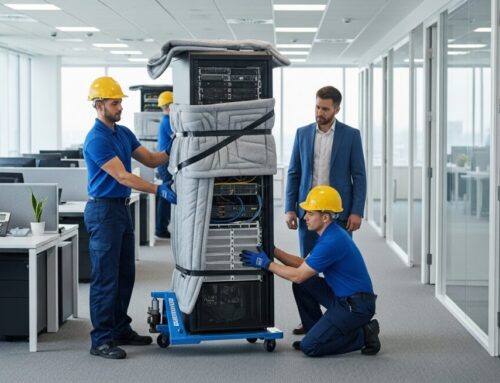
Furthermore, general movers rarely carry the specialized packing materials needed for high-value electronics. Anti-static bubble wrap, shock-absorbing crates for servers, and climate-controlled truck compartments are standard tools for a specialized mover. These details matter. A bump in the road can knock a hard drive offline. A static shock can fry a motherboard. By choosing a mover with IT expertise, you protect your hardware and ensure that your business can resume operations quickly at the new location. In our guide on corporate movers and business relocation services, we discuss how to vet providers for the proper credentials and insurance coverage.
Key Services Provided by IT Equipment Movers
Professional IT relocation companies offer a range of services that go far beyond simply loading and unloading boxes. These services are designed to minimize risk and maximize efficiency. When evaluating a provider, look for these core capabilities:
- Pre-Move Site Survey and Planning: A technician visits your current and new locations to inventory hardware, document connections, and create a floor plan for the new setup.
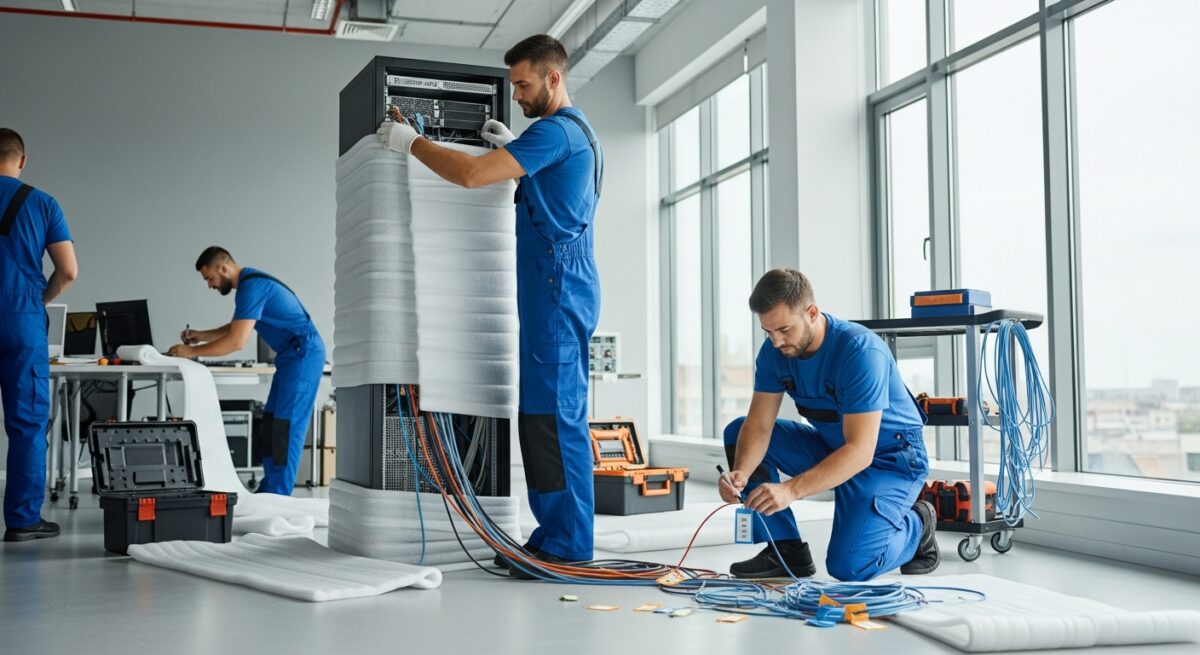
- Professional Disconnection and Cable Management: Technicians label every cable, rack, and device before disassembly, ensuring that reconnection is straightforward and error-free.
- Specialized Packing and Crating: Servers, RAID arrays, and networking gear are packed in custom foam-lined crates or anti-static containers to prevent damage during transit.
- Climate-Controlled Transport: Vehicles maintain stable temperature and humidity levels to protect sensitive electronics from condensation and heat.
- On-Site Reinstallation and Testing: At the destination, the team sets up racks, reconnects cables, and performs power-on testing to confirm that equipment is operational.
These services are not optional add-ons. They are the foundation of a successful server relocation. Without a detailed site survey, you risk arriving at the new office only to discover that a rack does not fit through the door or that power requirements exceed capacity. Without proper cable labeling, reconnecting a network can take days instead of hours. IT equipment movers treat these steps as standard procedure, which is why their expertise is irreplaceable.
Planning a Seamless Server Relocation
Step 1: Conduct a Comprehensive Technology Audit
Before any physical work begins, you need a complete inventory of your IT assets. This includes not just servers and computers but also switches, routers, firewalls, UPS units, storage arrays, and peripheral devices like printers and monitors. Document the make, model, serial number, and location of each piece of equipment. Also, note which devices are critical to daily operations and which can be offline for longer periods. This audit helps the moving team prioritize tasks and design a phased migration schedule.
Step 2: Create a Phased Migration Plan
Moving an entire IT infrastructure at once is rarely practical, especially for businesses that cannot afford full downtime. A phased approach allows you to move non-critical systems first, then migrate essential services during a planned maintenance window. For example, you might move backup servers and storage on a Friday, then migrate primary servers over the weekend. Professional IT equipment movers for business relocation will work with your internal IT team to create a timeline that aligns with your business needs. They will also coordinate with internet service providers and utility companies to ensure that circuits and power are active at the new site before the move.
Step 3: Prepare the New Site
The new location must be ready to receive your technology. This means verifying that the power supply is adequate, that cooling systems are in place, and that network drops are installed and tested. Server racks should be bolted to the floor or secured to prevent tipping. Cable pathways should be clear. A pre-move walkthrough with the moving team can identify potential issues, such as door widths that are too narrow for server racks or insufficient power outlets. Addressing these problems before move day prevents costly delays.
Data Security and Compliance During a Move
Moving IT equipment is not just a physical challenge. It is a data security challenge. Hard drives, SSDs, and backup tapes contain sensitive customer information, financial records, and proprietary business data. If a device is lost or stolen during transit, the consequences can include regulatory fines, legal liability, and reputational damage. Reputable IT movers address these risks through strict chain-of-custody procedures. Every device is logged when it leaves the source location and checked again upon arrival. Vehicles are GPS-tracked and sometimes escorted for high-value shipments.
Additionally, movers should carry specific insurance policies that cover data breach costs and hardware replacement. They should also be willing to sign non-disclosure agreements (NDAs) and background-check their technicians. If your industry is regulated by HIPAA, GDPR, or PCI-DSS, you must ensure that the moving company’s processes comply with those standards. For example, healthcare organizations need to verify that patient data on moved devices remains encrypted and that all handling meets privacy requirements. A professional mover will have documented procedures for these scenarios, which can be reviewed during the vendor selection process.
Cost Factors for IT Equipment Relocation
The cost of hiring specialized IT movers varies based on several factors. The size and weight of your equipment, the distance of the move, the complexity of the cabling, and the need for after-hours service all influence the final price. Unlike residential moving, where quotes are often based on weight or hours, IT relocation quotes are typically project-based. A provider will assess the scope of work during the site survey and provide a fixed price that includes packing, transport, setup, and testing.

While the upfront cost may be higher than a general moving company, the long-term savings are significant. Downtime costs businesses an average of $5,600 per minute according to some industry estimates. A botched move that results in a week of network outages can cost tens of thousands of dollars in lost productivity and revenue. When you factor in the potential cost of replacing damaged equipment, the specialized mover’s fee becomes a small price for peace of mind. Many businesses also find that the efficiency of a professional crew reduces the total time required for the move, which further minimizes lost work hours.
How to Choose the Right IT Moving Partner
Selecting the right vendor requires due diligence. Start by asking for references from companies in similar industries or with similar equipment footprints. Look for reviews that specifically mention server relocation or data center moves. Verify that the company has experience moving the types of hardware you own, whether that is blade servers, mainframes, or network storage devices. Ask about their training programs for technicians. Do they have certifications from vendors like Cisco, Dell, or IBM? A company that invests in ongoing training is more likely to handle your equipment correctly.
Insurance is another critical factor. Request a certificate of insurance and confirm that it covers both property damage and liability for data loss. Some movers offer additional valuation coverage for high-value items. Do not rely on the mover’s basic liability coverage alone. It may not be sufficient to replace a $50,000 server. Finally, trust your instincts during the consultation. A professional mover will ask detailed questions about your infrastructure, provide a clear timeline, and communicate proactively. If a company gives vague answers or seems unwilling to visit your site before providing a quote, consider that a red flag.
Frequently Asked Questions
What is the difference between IT equipment movers and general office movers?
General office movers handle furniture, boxes, and common office supplies. IT equipment movers specialize in the careful disconnection, packing, transport, and reinstallation of technology hardware such as servers, networking equipment, and workstations. They use specialized packing materials and follow strict protocols to prevent data loss and hardware damage.
How long does a typical server relocation take?
The timeline depends on the size of the infrastructure. A small office with a few servers might be fully moved and operational within a single weekend. A larger data center relocation can take weeks of planning and multiple phased moves. Your moving partner should provide a detailed schedule after the initial site survey.
Can I move my own servers to save money?
While it is technically possible, it is not recommended. Improper handling can void warranties, damage hardware, and expose data to security risks. The potential cost of a single damaged server often exceeds the cost of hiring professionals. For businesses that rely on continuous uptime, the risk is simply too high.
What should I do with my data backups before the move?
Create a full backup of all critical data before the move. Store one copy offsite (or in the cloud) and keep a second copy separate from the hardware being transported. This ensures that even if equipment is lost or damaged, your data remains safe. After the move, verify that backups are restored and functional.
Do IT movers provide temporary storage for equipment?
Many specialized movers offer short-term storage in climate-controlled, secure facilities. This can be useful if there is a gap between your move-out and move-in dates. Confirm that the storage environment meets the temperature and humidity requirements for your electronics.
Making the Final Decision
Your business technology is the engine that drives productivity, communication, and revenue. Trusting that engine to untrained hands is a gamble that no smart business owner should take. By investing in professional IT equipment movers for business relocation, you gain more than just labor. You gain a strategic partner who helps you plan, execute, and recover from one of the most complex events in your company’s lifecycle. The right mover will not only transport your hardware but also help you improve your cabling infrastructure, optimize rack layout, and ensure that your network is ready for the future. As you evaluate your options, remember that the cheapest quote is rarely the best value. Look for experience, transparency, and a commitment to quality. For businesses that need to finance their move or manage cash flow, exploring external funding solutions can be helpful. Some organizations find that securing a loan for business expenses allows them to invest in the best moving services without straining their operating budget. Ultimately, a well-executed IT relocation sets the stage for success in your new space, allowing your team to focus on what they do best from day one.