
How to Set Up a Home Office After Relocating in 2026
Setting up a home office after relocating is easier with a plan. Call (833)-484-8675 for expert moving help and get your workspace ready fast.

By Megan Hall
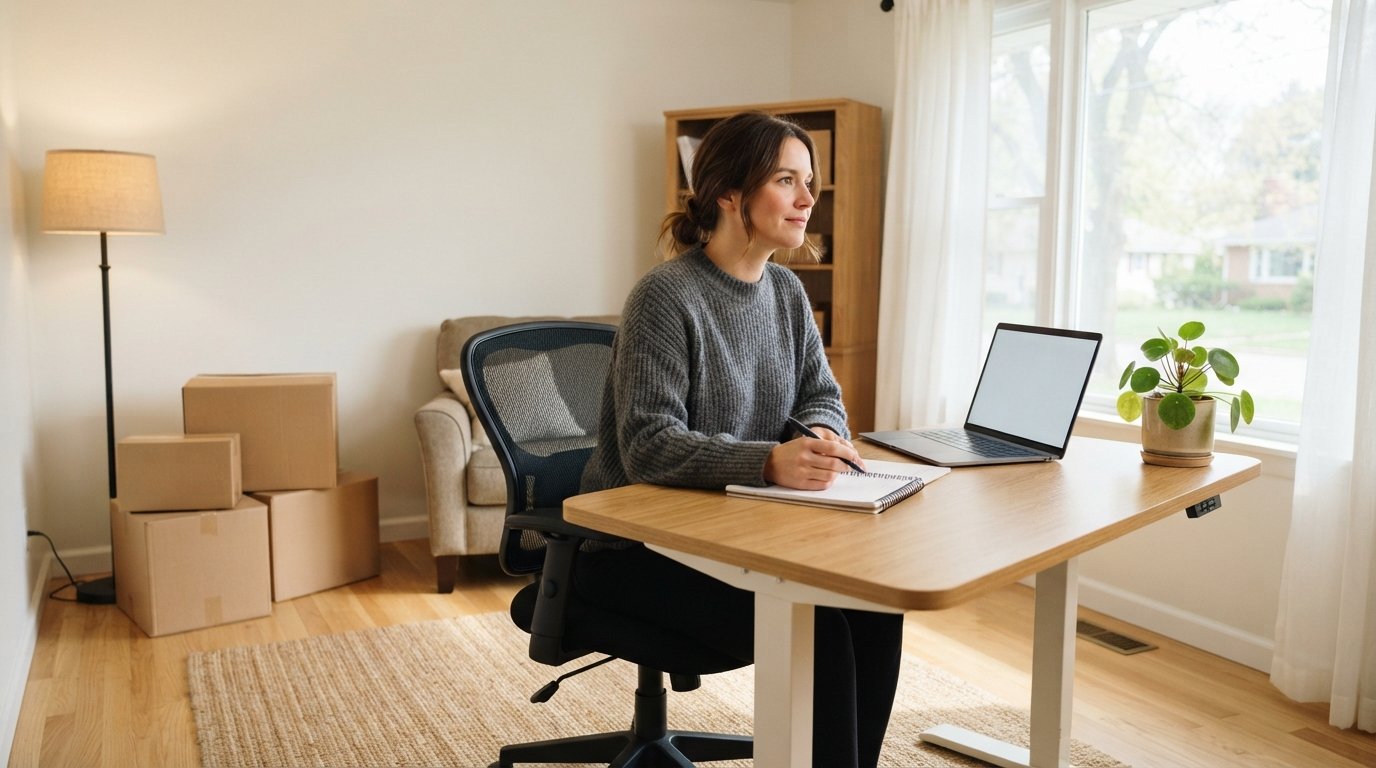
The boxes are finally unpacked, the kitchen is functional, and the bedrooms are starting to feel like home. But if you work remotely or run a business from home, one critical space often gets overlooked during a move: your home office. Setting up a functional workspace after relocating is about more than finding a desk and chair. It affects your daily productivity, your physical comfort, and your ability to separate work life from personal life in a new environment. Whether you have moved across the country or just across town, the process of rebuilding your workspace requires thoughtful planning and a few strategic decisions.
Choose the Right Space Before You Unpack a Single Box
The first step in setting up a home office after relocating is identifying the best available space in your new home. Not every residence offers a dedicated room, and that is perfectly fine. What matters is finding an area that minimizes distractions and supports sustained focus. Walk through your new home and evaluate each potential spot based on natural light, noise levels, proximity to high-traffic areas, and access to power outlets.
If you have a spare bedroom, that is often the ideal choice because it offers a door you can close at the end of the workday. If not, consider a corner of the living room, a section of the basement, or even a wide hallway nook. The key is to create visual and psychological boundaries between your workspace and your living space. In a new home, these boundaries help you adjust to both the relocation and your work routine simultaneously.
When evaluating potential office locations, keep these factors in mind:
- Natural light exposure throughout the day
- Distance from noisy areas like kitchens, laundry rooms, and entryways
- Availability of electrical outlets and internet connectivity
- Temperature control and ventilation
- Enough room for your desk, chair, and essential equipment
Once you have selected your space, resist the urge to fill it immediately. Live with the location for a few days before committing to a layout. You may discover that morning sun creates glare on your monitor or that a nearby window lets in more street noise than expected. Small adjustments early on prevent bigger frustrations later.
Prioritize Internet and Connectivity Setup
Nothing derails productivity faster than unreliable internet. Before you worry about furniture or decor, confirm that your new home has a strong, stable connection. Contact local internet service providers in your new area and compare plans based on speed, reliability, and cost. If you work with large files, conduct video calls regularly, or manage cloud-based systems, prioritize a plan with sufficient upload and download speeds.
Schedule your internet installation as early as possible, ideally before your first official workday in the new home. Installation appointments can fill up quickly, especially in popular moving seasons. If a delay is unavoidable, identify a temporary solution such as a mobile hotspot or a coworking space nearby. You can also use this transition period to organize your files and plan your office layout, keeping your workflow moving even without a permanent connection.
Beyond the primary connection, consider a backup option. A secondary hotspot or a different provider can save you during outages. For remote workers, redundancy is not a luxury; it is a practical necessity. Test your connection speed in different parts of the room as well. Sometimes moving your desk just a few feet closer to the router eliminates dead zones and improves video call quality.
Furniture and Ergonomics: Build for Comfort and Health
Your furniture choices directly impact how you feel after eight hours of work. A cheap chair and a cramped desk might seem acceptable in the short term, but they often lead to back pain, wrist strain, and fatigue. Invest in an ergonomic chair with adjustable height and lumbar support. Your desk should allow your elbows to rest at roughly a 90-degree angle when typing, with your monitor positioned at eye level.
If you moved with existing furniture, reassess whether it still meets your needs in the new space. A desk that worked in your old apartment may feel too large or too small in the new layout. Measure your room before purchasing anything new, and consider modular options that can adapt as your needs change. Standing desks, for example, offer flexibility and can be adjusted throughout the day to reduce sedentary time.
Lighting is another critical element. Combine ambient overhead lighting with a focused task lamp to reduce eye strain. Position your monitor perpendicular to windows to minimize glare and reflections. If your space lacks natural light, invest in full-spectrum bulbs that mimic daylight and help regulate your energy levels. Small ergonomic improvements add up to significant comfort gains over time.
Organize Cables, Equipment, and Supplies Efficiently
A cluttered workspace creates a cluttered mind. After relocating, you likely have a pile of cables, chargers, and devices that need a permanent home. Take time to organize them systematically. Label each cable, use cable ties or clips to route them along desk legs, and consider a cable management tray underneath your desk. This not only looks cleaner but also makes troubleshooting and rearranging much easier.
Store frequently used items within arm's reach and archive rarely used supplies in drawers or bins. A small filing system, whether physical or digital, helps you manage paperwork without letting it pile up. For digital organization, set up cloud folders and backup systems now, while your files are still relatively consolidated from the move. This prevents the slow creep of digital clutter that accumulates when you are busy and disorganized.
If you relocated for work or plan to continue working remotely long term, consider how your office setup supports video calls and virtual meetings. A clean, well-lit background, a quality webcam, and a good microphone make a professional impression. Test your setup before your first important call to catch any issues with lighting, audio, or background noise.
For those who need to handle home improvement or repair projects alongside their move, resources like ContractorHomeQuotes can help you plan renovations or upgrades that affect your workspace, such as adding outlets or installing better lighting. Being proactive about these projects ensures your office functions well from the start rather than requiring disruptive changes later.
Establish Routines That Support Focus in a New Environment
Relocating disrupts routines, and rebuilding them takes intentional effort. In a new home, your brain is still mapping the space, learning noises, and adjusting to different light patterns. Establishing a consistent work routine helps your mind associate your new office with productivity. Start your day with the same sequence of actions: make coffee, open the blinds, review your task list, and begin work. These small rituals signal to your brain that it is time to focus.
Set clear start and end times for your workday, especially if your office is in a shared living space. Without a commute to bookend your day, it is easy to blur the line between work and personal time. A short walk around the block, a few minutes of stretching, or simply closing your laptop at a set hour can serve as a substitute for the commute you no longer have. These boundaries protect your energy and help you settle into your new community without feeling consumed by work.
Communication with household members is equally important. Let them know your working hours and ask for their cooperation in minimizing noise during calls or meetings. In a new home, everyone is adjusting, so a brief conversation about expectations prevents misunderstandings. If you live alone, consider how you will handle deliveries, maintenance visits, or other interruptions that could disrupt your focus.
Adapt Your Setup as You Learn What Works
Your first office layout is a starting point, not a final answer. After a few weeks of working in your new space, you will notice patterns: maybe the afternoon sun makes your screen hard to read, or perhaps you need more surface area for projects. Treat your office as an evolving project. Make small adjustments as you identify pain points, and do not hesitate to rearrange furniture or swap equipment if it improves your workflow.
If you moved with professional movers, you may already have a head start on unpacking and organizing. If you are still planning your move and want to protect your productivity during the transition, our guide on how to move a home office without losing productivity offers practical strategies for packing, labeling, and prioritizing your work essentials. Getting connected with movers who can help with packing and unpacking services can also reduce the time you spend on logistics, freeing you to focus on setting up your workspace.
Seasonal changes may also require adjustments. A space that feels perfect in summer might need additional lighting or a space heater in winter. Keep an eye on how your office performs across different conditions, and make note of any upgrades that would improve comfort. Over time, these small refinements transform a basic setup into a workspace that genuinely supports your best work.
Plan for Long-Term Functionality and Growth
As you settle into your new home and community, your work needs may evolve. You might take on new projects, add equipment, or even change careers. A home office that can adapt to these changes saves you from repeated overhauls. Choose furniture and storage solutions that offer flexibility. Adjustable shelves, rolling carts, and modular desks allow you to reconfigure your space without starting from scratch.
Consider your technology infrastructure as well. If you anticipate upgrading your computer, adding a second monitor, or incorporating smart home devices, plan for those now. Extra outlets, surge protectors, and a reliable Wi-Fi mesh system prevent future bottlenecks. A little foresight today reduces the friction of tomorrow's upgrades.
Finally, remember that setting up a home office after relocating is not just about logistics. It is about creating a space where you feel motivated, comfortable, and capable. Give yourself permission to iterate, to ask for help when needed, and to celebrate the progress you make. A well-designed office supports not only your work but also your overall well-being as you build your new life in a new place.