
How to Pack and Transport a Large Flat Screen TV Safely
Master how to pack and transport a large flat screen TV safely with our step-by-step guide. Call (833)-484-8675 for expert moving help.

By Nicole Walker
Your new 75-inch television is the centerpiece of your living room, and the thought of moving it sends a chill down your spine. One wrong bump, one moment of flex, and you are looking at a cracked panel and a repair bill that costs as much as the TV itself. But here is the good news: with the right materials, a methodical approach, and a little patience, you can get that massive screen from point A to point B without a scratch. This guide walks you through every step, from gathering the right boxes to the final power-on test, so you can move your flat screen with confidence and avoid the heartbreak of a shattered display.
Assess Your TV and Gather the Right Materials
Before you touch a single roll of tape, take a close look at your television. Is it a plasma, LCD, LED, or OLED? The panel type matters because OLED and plasma screens are often thinner and more fragile than standard LED displays. Check the manufacturer's box or manual for the weight and dimensions, and note whether the TV has a delicate bezel or an exposed screen edge. Knowing these details helps you choose the right packing materials and plan your lifting strategy. A 65-inch TV might weigh 50 pounds, while an 85-inch model can exceed 100 pounds, so never attempt to move it alone if it feels unwieldy.
Next, assemble a packing kit specifically for large electronics. You will need more than just a cardboard box; the goal is to create a rigid, shock-absorbing cocoon around the screen. Here are the essentials:
- Heavy-duty double-wall cardboard box (or the original TV box if you kept it)
- Foam corner protectors or polyethylene foam sheets (at least 1 inch thick)
- Bubble wrap (large bubble, not small)
- Packing tape (strong, wide, and preferably reinforced)
- Moving blankets or thick furniture pads
- Stretch wrap (plastic cling film)
- Anti-static screen cover or a clean microfiber cloth
- Labeling tape and a marker
If you did not keep the original box, do not panic. You can purchase a dedicated TV moving box from a home improvement store or a moving supply company. These boxes are designed with foam inserts that cradle the TV and prevent it from shifting. Avoid using a generic box that is too large; the TV should fit snugly with no more than an inch of play on each side. If the box is too big, fill the gaps with foam or crumpled packing paper, but never use newspaper directly against the screen because the ink can transfer and the paper offers little shock absorption.
Prepare the TV for Packing
Start by unplugging the TV and letting it cool down for at least 30 minutes. This prevents any residual heat from trapping moisture inside the packaging. While it cools, take a photo of the back panel with all cables connected. This photo becomes your reference guide when you reassemble everything at your new home. Then, disconnect all cables one by one. As you remove each cable, wrap it loosely and secure it with a twist tie or a piece of masking tape. Label each cable with a small piece of tape and a marker (for example, "HDMI 1," "Power," "Optical") so you know exactly where it goes later.
Next, remove the stand or wall mount. Most TVs have a stand secured by four to six screws. Place all screws, washers, and the stand itself into a labeled zip-top bag. Tape this bag to the back of the TV or keep it in a separate small box that travels with you. Do not put the hardware in the bottom of a moving box where it can get lost. If your TV is wall-mounted, detach it from the bracket and pack the bracket separately. Label the bracket and its screws clearly, because mounting hardware is often specific to the TV model and difficult to replace.
Now, clean the screen. Use a microfiber cloth and a screen-safe cleaner to remove fingerprints and dust. This is also the moment to inspect the screen for any existing damage. If you spot a scratch or a dead pixel, document it with a photo. This protects you if you are using professional movers and need to file a claim later. Once the screen is clean and dry, cover it with an anti-static screen cover or a clean, soft cloth. Avoid using plastic wrap directly on the screen because it can create static and leave residue.
Pack the TV Like a Professional
If you have the original box, you are in luck. Original packaging is engineered to protect the TV during shipping, so use it. Place the TV face-down or face-up according to the box design, and reinsert the foam inserts exactly as they were when you unboxed the TV. If the original foam is damaged or missing, replace it with new foam corner protectors. Secure the box with packing tape along all seams, and then wrap the entire box in stretch wrap to keep it closed and protect it from moisture.
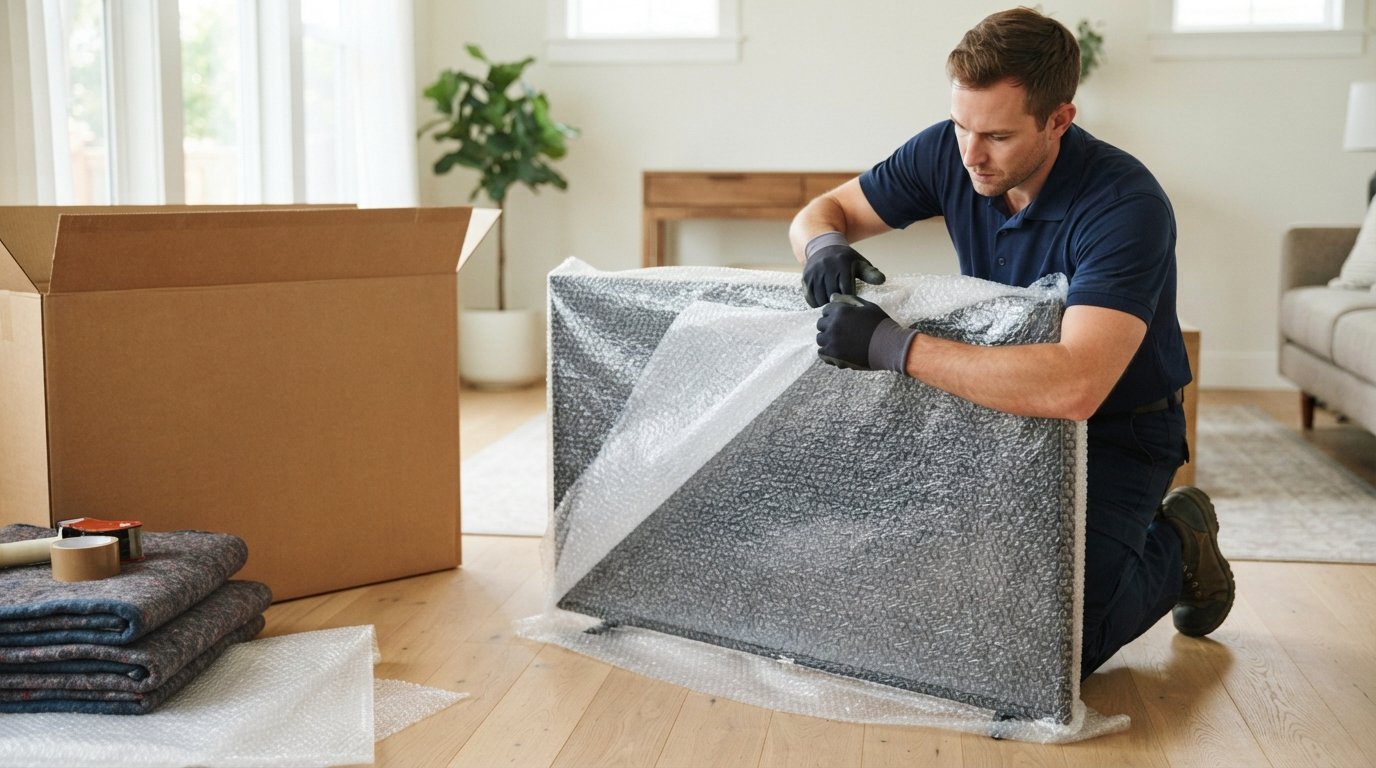
If you are using a custom box, follow a layered approach. First, line the bottom of the box with a thick layer of bubble wrap or a foam sheet. Then, wrap the TV in a moving blanket or a large sheet of bubble wrap, paying special attention to the corners. Foam corner protectors are critical because the corners are the most vulnerable part of the TV; a single drop on a corner can crack the panel. Secure the bubble wrap or blanket with packing tape, but do not tape directly onto the screen. Place the wrapped TV into the box, ensuring it sits flat and does not wobble. Fill any empty space around the edges with foam, bubble wrap, or crumpled packing paper. The TV should not move when you gently shake the box.
Close the box and seal it with packing tape. Then, label the box prominently with "FRAGILE: FLAT SCREEN TV" and "THIS SIDE UP" arrows. Add your name and destination address. If you are using a professional moving company, ask them about their TV packing services; many offer specialized crating for large electronics. For a deeper look at what professional packing and moving services cost, including options for fragile items, see this complete pricing guide for packers and movers.
Loading and Transporting the TV
When it is time to load the TV into a truck or container, position matters more than you might think. Always transport the TV upright, in its original vertical orientation. Never lay a large flat screen TV flat on its back or face. Laying it flat puts stress on the panel and can cause the glass to flex and crack, especially over bumps. If the TV must be tilted slightly to fit through a doorway, keep the tilt to a minimum and support the entire back of the TV with your hands or a padded dolly.
In a moving truck, place the TV box against a wall or between heavy furniture items that will not shift. Do not place it near the edge of the truck where it could be bumped during loading or unloading. Use moving blankets or furniture pads to cushion the box and prevent it from sliding. If you are stacking boxes, never place anything heavy on top of the TV box. The TV should be one of the last items loaded and one of the first items unloaded. For long-distance moves, consider using a professional moving service that specializes in fragile electronics; you can get connected with movers who can help with packing and transporting large TVs safely.
If you are transporting the TV in a personal vehicle, such as an SUV or a van, the same rules apply. Keep the TV upright and secure it with a seatbelt or a ratchet strap. Place it behind a seat or in the cargo area where it cannot tip over. Avoid placing the TV on a seat without securing it; a sudden stop can send it flying. If you are hiring a professional moving company, ask about their handling of high-value electronics and whether they offer additional insurance coverage for your TV.
For homeowners planning a move and also considering renovations or repairs at their new property, resources like ContractorHomeQuotes can help you plan projects and find transparent pricing, ensuring your new home is ready for your arrival.
Post-Move Checks Before Powering On
Once you arrive at your new home, resist the urge to plug in the TV immediately. Give it time to acclimate to room temperature, especially if it was transported in cold weather. Condensation can form inside the electronics, and powering on a cold TV can cause short circuits. Let the box sit unopened for at least two to four hours, or longer if the temperature difference is extreme.
When you unpack, inspect the TV carefully. Look for cracks, dents, or any signs of physical damage. Check the corners and the screen surface. If you notice any damage, take photos immediately and contact your moving company or insurance provider before turning it on. If everything looks good, reattach the stand or wall mount using the labeled hardware. Reconnect the cables according to your photo or labels. Then, plug in the TV and power it on. Check for any display issues, such as lines, dead pixels, or color distortion. If the TV powers on and looks normal, you have successfully completed the move.
Moving a large flat screen TV safely is entirely achievable with the right preparation and a little care. By using proper packing materials, removing and labeling hardware, transporting the TV upright, and allowing it to acclimate before powering on, you can protect your investment and enjoy your favorite shows in your new home without interruption. If you would rather leave the heavy lifting to the professionals, consider reaching out to a reputable moving company that offers specialized packing services for electronics. With the right help, your TV will arrive in perfect condition, ready for movie night.